jixopn Sensitive Pencil for compatible with Microsoft Surfaceicrosoft Surface Pro 3 4 5 6 7 8 Universal Write Pen Notebook Bluetooth-Compatible

54,00 €
+ 0,49 € Livraison

jixopn Sensitive Pencil for compatible with Microsoft Surfaceicrosoft Surface Pro 3 4 5 6 7 8 Universal Write Pen Notebook Bluetooth-Compatible

  • Marque: Unbranded
Verkocht door:

jixopn Sensitive Pencil for compatible with Microsoft Surfaceicrosoft Surface Pro 3 4 5 6 7 8 Universal Write Pen Notebook Bluetooth-Compatible

  • Marque: Unbranded

54,00 €

Économisez 30,00 € (35%)

Prix de vente recommandé

84,00 €
En stock
+ 0,49 € Livraison

Politique de retour sur 14 jours

Verkocht door:

54,00 €

Économisez 30,00 € (35%)

Prix de vente recommandé

84,00 €
En stock
+ 0,49 € Livraison

Politique de retour sur 14 jours

Modes de paiement:

Description

jixopn Sensitive Pencil for compatible with Microsoft Surfaceicrosoft Surface Pro 3 4 5 6 7 8 Universal Write Pen Notebook Bluetooth-Compatible

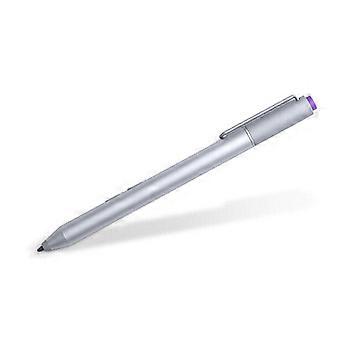
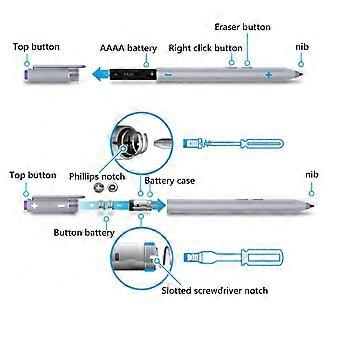
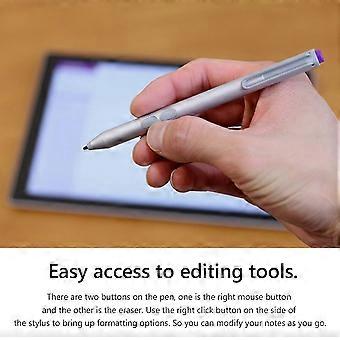
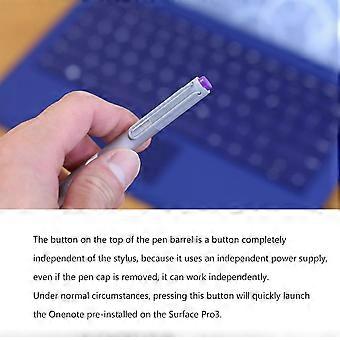
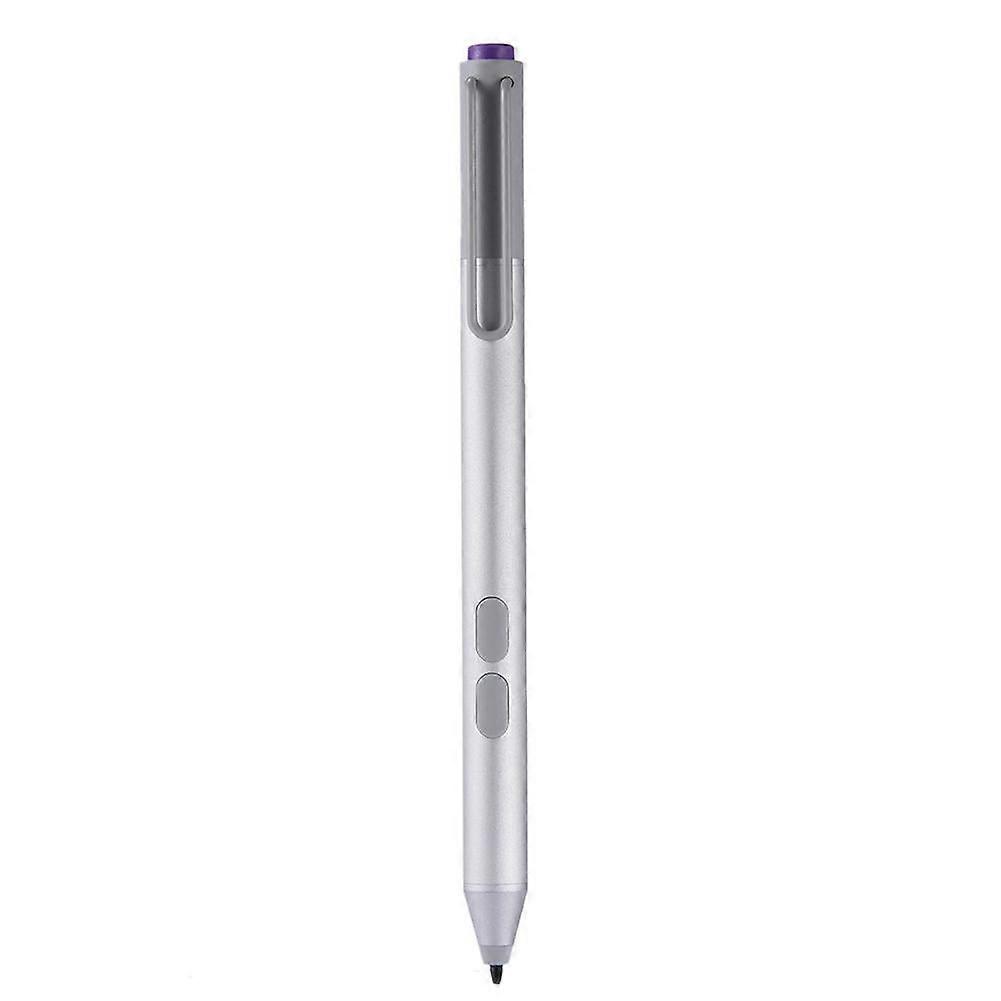
Sensitive Stylus Pencil for compatible with Microsoft Surfaceicrosoft Surface Pro 3 4 5 6 7 8 Laptop Write Pen Notebook Bluetooth-Compatible with Screenshot Paint Accessory Feature: Bluetooth-compatible connection. There is no need to worry about the connection problem, once set, you can automatically connect to the tablet through Bluetooth-compatible. 4096 pressure sensing. For Surface Pen supports a maximum pressure sensing level of 4096 with 4096 pressure points, providing you with a unique drawing experience and instant response to accurately copy text without delay. Easy access to editing tools. There are two buttons on the pen, one is the right mouse button and the other is the eraser. Use the right click button on the side of the stylus to bring up formatting options. So you can modify your notes as you go. Long press the pen cap to pair, double click to cut the picture. Hold down and hold down for 10 seconds. When the yellow indicator blinks, tap match in system setting-Bluetooth-compatible Device. Click the purple button to call out onenote. Double-click the button to call out Onenote Humanized button, convenient productivity. The upper part is the right button, which can realize the right mouse button function; The lower part is eraser delete button, which can realize eraser and delete function in supported software Specification: Color: Silver Material: aluminum case Pressure sensing: 4096 grade pressure sensing Connectivity: Bluetooth-compatible 4.0 Button: Right click and clear Battery: 2 button batteries; 1 AAAA battery Function: Support bluetooth-compatible connection and screen capture with eraser deletion function Size: Diameter: 9.5mm/0.37in; Length: 135 mm/5.3in + / - 1 mm Weight: 20 g Applicable model: For compatible with Microsoft Surfaceicrosoft Surface 3 For compatible with Microsoft Surfaceicrosoft Surface Pro 3 For compatible with Microsoft Surfaceicrosoft Surface Pro 4 For compatible with Microsoft Surfaceicrosoft Surface Pro 5 For compatible with Microsoft Surfaceicrosoft Surface Pro 6 For compatible with Microsoft Surfaceicrosoft Surface Pro 7 For compatible with Microsoft Surfaceicrosoft Surface Pro 8 For compatible with Microsoft Surfaceicrosoft Surface Pro X For compatible with Microsoft Surfaceicrosoft Surface Book1/2/3 For compatible with Microsoft Surfaceicrosoft Surface Laptop1/2/3/4 For compatible with Microsoft Surfaceicrosoft Surface Studio For compatible with Microsoft Surfaceicrosoft Surface Go1/Go2/Go3 Note: Due to the different monitor and light effect, the actual color of the item might be slightly different from the color showed on the pictures. Thank you! Please allow 1-2cm measuring deviation due to manual measurement. Included: 1 x Stylus Pencil Bluetooth-compatible connection. There is no need to worry about the connection problem, once set, you can automatically connect to the tablet through Bluetooth-compatible. 4096 pressure sensing. For Surface Pen supports a maximum pressure sensing level of 4096 with 4096 pressure points, providing you with a unique drawing experience and instant response to accurately copy text without delay. Easy access to editing tools. There are two buttons on the pen, one is the right mouse button and the other is the eraser. Use the right click button on the side of the stylus to bring up formatting options. So you can modify your notes as you go. Long press the pen cap to pair, double click to cut the picture. Hold down and hold down for 10 seconds. When the yellow indicator blinks, tap match in system setting-Bluetooth-compatible Device. Click the purple button to call out onenote. Double-click the button to call out Onenote Humanized button, convenient productivity. The upper part is the right button, which can realize the right mouse button function; The lower part is eraser delete button, which can realize eraser and delete function in supported software
  • Marque: Unbranded
  • Catégorie: Stylets
  • Couleur: color
  • Taille: size
  • Identifiant Fruugo: 448162799-941946318
  • EAN: 9114532437485

Informations sur la sécurité des produits

Veuillez consulter les informations de sécurité du produit spécifiques à ce produit décrites ci-dessous.

Les informations suivantes sont fournies par le détaillant tiers indépendant vendant ce produit.

Avertissements de sécurité: Warning to keep away from water to prevent electric shocks.
Ingrédients: Other

Livraison & retours

Expédition dans un délai de 3 jours

  • STANDARD: 0,49 € - Livraison entre mar. 30 décembre 2025–mar. 06 janvier 2026

Expédition de Chine.

Nous mettons tout en œuvre pour que les produits que vous commandez vous soient livrés dans leur intégralité et selon vos indications. Néanmoins, si vous recevez une commande incomplète, des articles différents de ceux commandés ou si, pour toute autre raison, la commande ne vous satisfait pas, vous pouvez retourner la commande ou tout produit inclus dans celle-ci et recevoir un remboursement complet des articles. Voir l'intégralité de la politique de retour

Détails de conformité du produit

Veuillez consulter les informations de conformité spécifiques à ce produit décrites ci-dessous.

Les informations suivantes sont fournies par le détaillant tiers indépendant vendant ce produit.

Fabricant:
Les informations suivantes indiquent les coordonnées du fabricant du produit concerné vendu sur Fruugo.

  • Yang Yue
  • Lixian Penghui Trading Co., Ltd.
  • Group 5,Renhe Village
  • Changde City
  • CN
  • 415500
  • buzhengchanga@outlook.com
  • +1(319)277-0024

Personne responsable dans l'UE:
Les informations suivantes indiquent les coordonnées de la personne responsable dans l'UE. La personne responsable est l'opérateur économique désigné basé dans l'UE qui est responsable des obligations de conformité relatives au produit concerné vendu dans l'Union européenne.

  • eVatmaster Consulting GmbH
  • eVatmaster Consulting GmbH
  • Raiffeisen Street2 B1l
  • Rodgau
  • DE
  • 63110
  • contact@evatmaster.com
  • +49 61062699873